1. Install the released package
Keep the App Key on your server. Derive the internal user ID from your authenticated session and return only the signed offerwall URL to the browser.
Package and source referenceConnect a website to the hosted offerwall with a server-generated UID, or evaluate direct inventory APIs for a custom presentation.
Hosted iframe + server-generated UID · Guide reviewed October 15, 2026
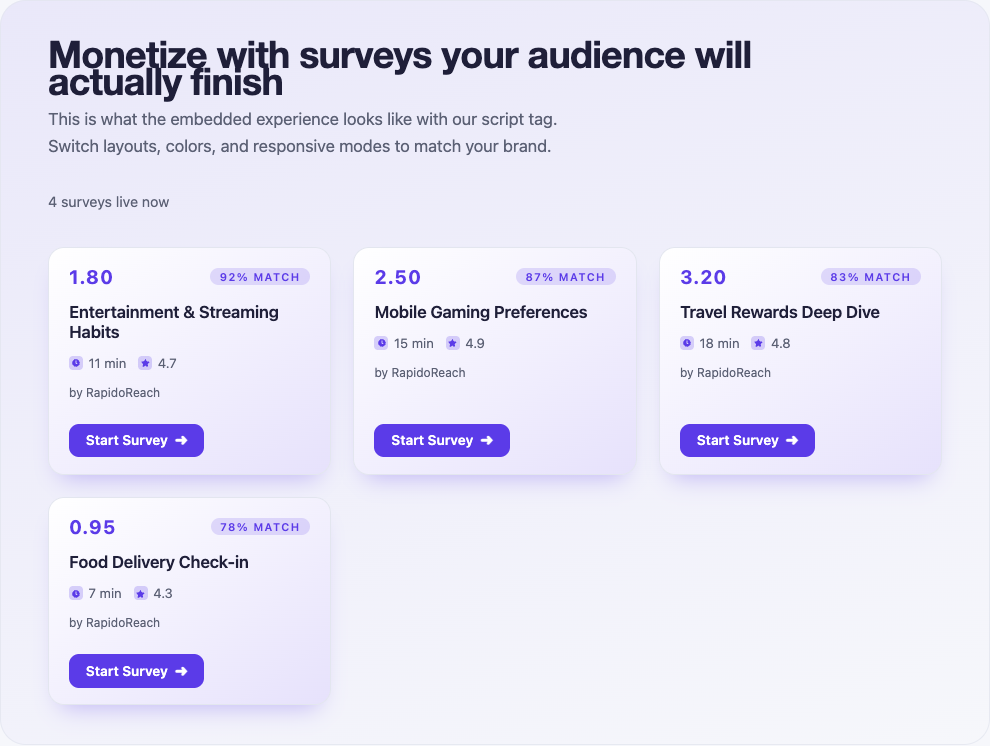 Public web playground · Sample inventory · Native presentation varies
The example below implements the hosted iframe path. Choose it when you want RapidoReach to render the wall. For custom cards, agree API access, authentication and inventory schema before implementing the direct API contract.
Keep the App Key on your server. Derive the internal user ID from your authenticated session and return only the signed offerwall URL to the browser.
Package and source referenceA server capable of generating the documented UID, a signed-in user, an approved website app and a server callback endpoint. Direct inventory API access has a separate contract; see the API reference before building a custom wall.
Create a publisher app in the dashboard and use its SDK token with a stable, non-personal app user ID. The web UID signing App Key stays on your backend.
Web integration referenceReplace the placeholders in your own app. Catch SDK errors in the calling screen, handle unavailable inventory and refresh balances from your server.
// Node.js backend only. Never bundle this with browser code.
const { createHash } = require('node:crypto');

function offerwallUrl(authenticatedUserId, appId, appKey) {
  const payload = authenticatedUserId + '-' + appId;
  const checksum = createHash('md5')
    .update(payload + '-' + appKey).digest('hex');
  const uid = payload + '-' + checksum;
  return 'https://www.rapidoreach.com/ofw/?userId='
    + encodeURIComponent(uid);
}

// In your authenticated server route, pass the resulting URL
// to your page template. Render it as the iframe src:
// <iframe title="Earn rewards" src="SERVER_GENERATED_URL"
// style="width:100%;min-height:700px;border:0"></iframe>Call from an authenticated backend, handle an empty list and preserve returned survey entry URLs. Use the API callback contract to verify rewards.
// Node.js 20+ backend only; keep the app key in server config.
// Resolve user.id from the session and profile fields with consent.
async function fetchSurveys(user, appId, appKey) {
  const response = await fetch('https://www.rapidoreach.com/getallsurveys-api', {
    method: 'POST',
    headers: {
      'Content-Type': 'application/json',
      'X-RapidoReach-Api-Key': appKey,
    },
    body: JSON.stringify({
      UserId: user.id, AppId: appId, IpAddress: user.publicIp,
      City: user.city, CountryLanguageCode: user.locale,
    }),
    signal: AbortSignal.timeout(10000),
  });
  const result = await response.json();
  if (result.ErrorCode === 'NOT_FOUND') return [];
  if (!response.ok || result.ErrorCode !== 'SUCCESS') {
    throw new Error('Survey inventory unavailable');
  }
  return (result.Data || []).map(survey => ({
    url: survey.SurveyUrl, // Open unchanged; never use Link.
    reward: survey.Reward, minutes: survey.LOI,
    currency: survey.vc_name,
  }));
}
Review the direct monetization API for the separate custom-wall path. The UID checksum above authenticates the hosted wall; it is not the reward callback verification algorithm.
Request and response referenceThese are screenshots of the public web playground, captured October 15, 2026. They show sample survey cards shared as a visual reference, not screenshots of a Web native build or a guarantee of inventory.
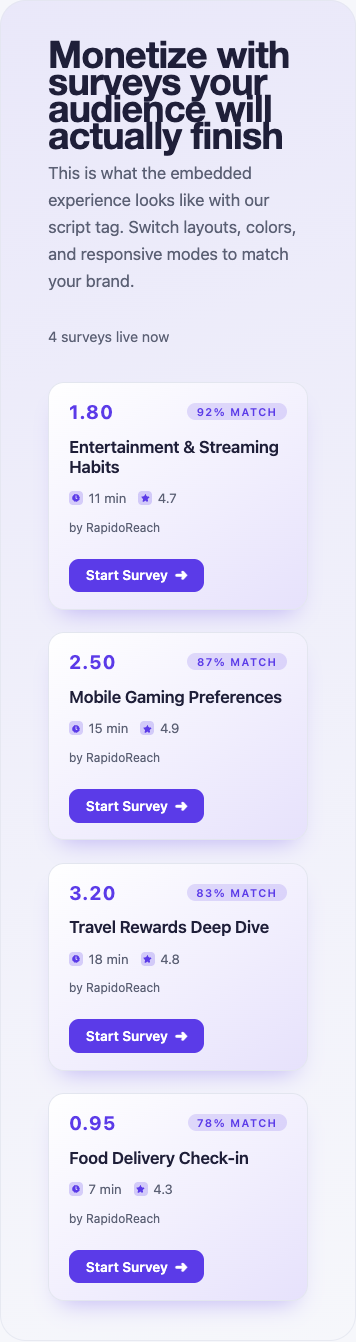
This local interaction illustrates presentation states. It does not call the SDK, load live surveys or issue rewards.
A survey is available in this simulated placement.
Open the public widget playground ↗
The playground previews layout and themes. To validate Web SDK behavior, use the package example and your own development app on a supported device.
Get the Web package / exampleUse a development publisher app. In the app’s Test users section, add the raw app user ID exactly as your SDK sends it and enable Test mode for that test user. For web, generate the signed UID from that same raw user ID.
The test survey helps verify the journey. Keep test activity separate from live earnings.
Open the integration testing guideConfigure the app’s server callback and send a Test Callback from the dashboard. Verify the documented hash, attribute the transaction to the correct user and store it once. Repeat the same transaction to check duplicate handling.
Client reward notifications should refresh UI. They should not create a second credit.
Callback verification referenceUse internalUserId-appId-checksum with the lowercase MD5 of internalUserId-appId-appKey. Preserve casing and hyphens, then URL-encode the final UID.
Resolve identity from the server’s authenticated session. Never trust a user ID supplied by an arbitrary browser query parameter.
Configure and test the server callback. Browser navigation, postMessage events and iframe close actions are presentation signals, not reward evidence.
Trace the same app user ID and transaction through your callback receiver and reward ledger. Check hash verification, duplicate detection and currency conversion. Use redacted diagnostics when contacting support.
Create a publisher account, register your app and connect the first test user. Review the reward flow before opening the placement to live users.