1. Install the released package
Add mavenCentral() to dependency repositories and implementation "com.rapidoreach:cbofferwallsdk:1.1.0" to the app module. Confirm INTERNET permission in the merged manifest.
Package and source referenceIntegrate the Maven Central Android SDK into an Activity and open a rewarded survey wall from your app’s rewards screen.
com.rapidoreach:cbofferwallsdk:1.1.0 · Guide reviewed October 15, 2026
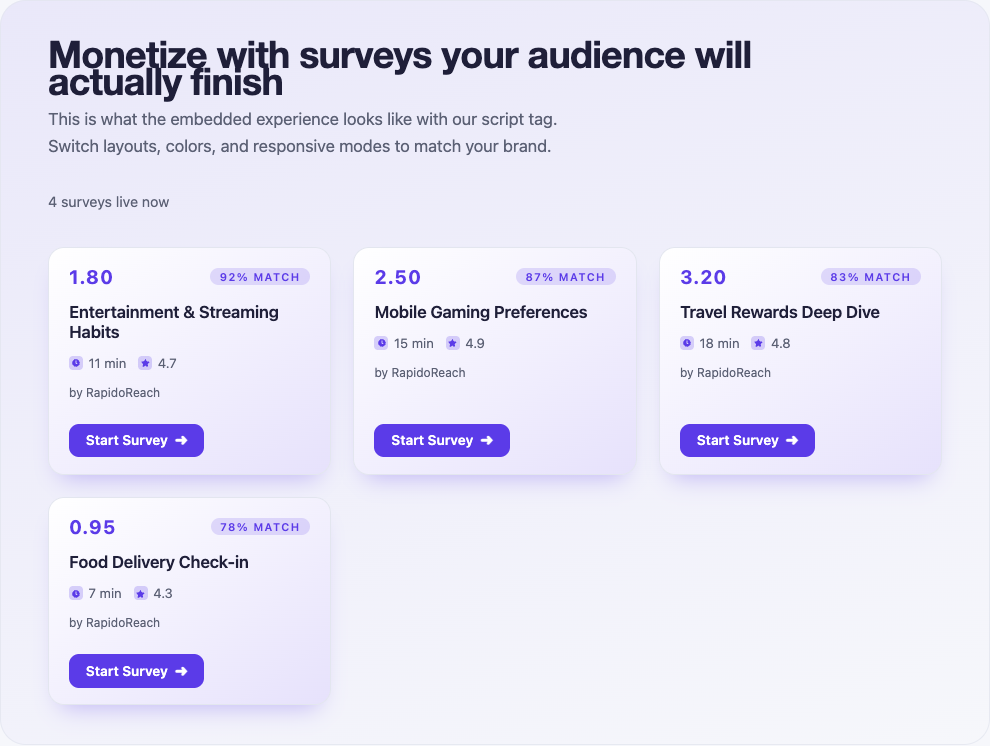 Public web playground · Sample inventory · Native presentation varies
Initialize with the signed-in app user and a foreground Activity. Enable the entry point only after readiness; retain a useful retry path when the network is unavailable.
Add mavenCentral() to dependency repositories and implementation "com.rapidoreach:cbofferwallsdk:1.1.0" to the app module. Confirm INTERNET permission in the merged manifest.
Package and source referenceUse a foreground Activity and Android minSdk 23 or higher for this artifact. Initialize after you have a stable signed-in user identifier.
Create a publisher app in the dashboard and use its SDK token with a stable, non-personal app user ID. The web UID signing App Key stays on your backend.
Android integration referenceReplace the placeholders in your own app. Catch SDK errors in the calling screen, handle unavailable inventory and refresh balances from your server.
// app/build.gradle
// implementation 'com.rapidoreach:cbofferwallsdk:1.1.0'

import com.rapidoreach.rapidoreachsdk.RapidoReach;

// In your Activity, after login:
void initializeRewards() {
    RapidoReach.initWithApiKeyAndUserIdAndActivityContext(
        "YOUR_API_TOKEN", "YOUR_USER_ID", this);
}

// Connect to your opt-in rewards button after initialization.
void openRewards() {
    if (RapidoReach.getInstance().isSurveyAvailable()) {
        RapidoReach.getInstance().showRewardCenter();
    } else {
        // Render “No surveys available”; allow a later retry.
    }
}These are screenshots of the public web playground, captured October 15, 2026. They show sample survey cards shared as a visual reference, not screenshots of a Android native build or a guarantee of inventory.
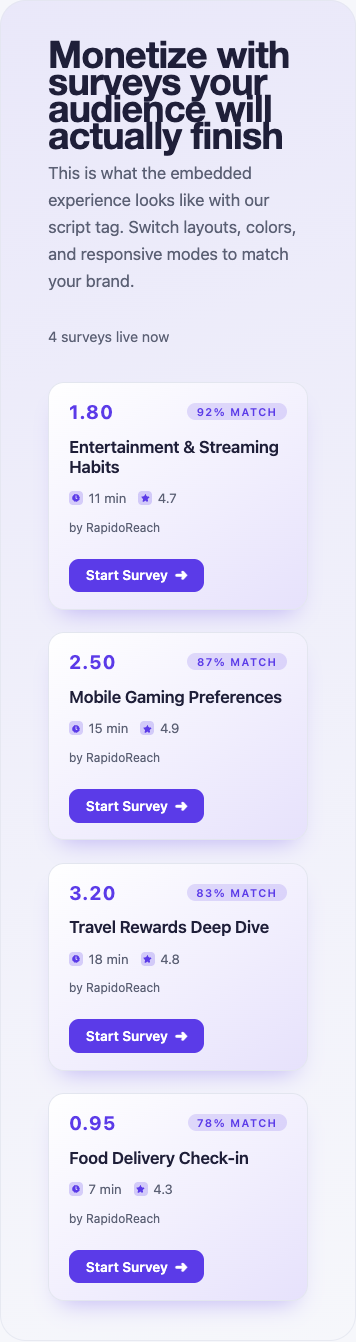
This local interaction illustrates presentation states. It does not call the SDK, load live surveys or issue rewards.
A survey is available in this simulated placement.
Open the public widget playground ↗
The playground previews layout and themes. To validate Android SDK behavior, use the package example and your own development app on a supported device.
Get the Android package / exampleUse a development publisher app. In the app’s Test users section, add the raw app user ID exactly as your SDK sends it and enable Test mode for that test user. For web, generate the signed UID from that same raw user ID.
The test survey helps verify the journey. Keep test activity separate from live earnings.
Open the integration testing guideConfigure the app’s server callback and send a Test Callback from the dashboard. Verify the documented hash, attribute the transaction to the correct user and store it once. Repeat the same transaction to check duplicate handling.
Client reward notifications should refresh UI. They should not create a second credit.
Callback verification referenceUse Maven Central and the cbofferwallsdk artifact name. Avoid old android-sdk coordinates or mixing the Maven artifact with a second bundled AAR.
Use the foreground Activity context and wait for SDK readiness and survey availability. A background service cannot present the reward center.
Validate the selected artifact’s release and shrinking requirements, merged manifest and network access in a signed internal build.
Trace the same app user ID and transaction through your callback receiver and reward ledger. Check hash verification, duplicate detection and currency conversion. Use redacted diagnostics when contacting support.
Create a publisher account, register your app and connect the first test user. Review the reward flow before opening the placement to live users.