Build a survey-to-currency journey for a mobile game, from an opt-in shop placement to verified rewards. Start with the Unity path or choose a native SDK.
Public Unity v1.0.2 package · Guide reviewed October 15, 2026
Public web playground · Sample inventory · Native presentation varies
01 / Integrate
From install to the first open.
Use one stable player identity across sessions. Keep the reward economy on your backend, distinguish client notifications from ledger entries and plan how reversals affect the player balance.
1. Install the released package
Import the v1.0.2 .unitypackage with Assets → Import Package → Custom Package. Keep its bundled native libraries together; do not substitute the Android 1.1.0 artifact without validating compatibility.
Build for Android or iOS. The native offerwall does not run in the Unity Editor. Check the selected release’s Android minimum API and iOS deployment target before building.
Create a publisher app in the dashboard and use its SDK token with a stable, non-personal app user ID. The web UID signing App Key stays on your backend.
Replace the placeholders in your own app. Catch SDK errors in the calling screen, handle unavailable inventory and refresh balances from your server.
C# / integration example
using UnityEngine;

public class SurveyRewards : MonoBehaviour
{
    void Start()
    {
#if (UNITY_ANDROID || UNITY_IOS) && !UNITY_EDITOR
        RapidoReach.Initialize("YOUR_API_TOKEN", "YOUR_USER_ID");
        RapidoReach.SetListener(gameObject.name);
#endif
    }

    // Wire this method to your opt-in rewards button.
    public void OpenRewards()
    {
#if (UNITY_ANDROID || UNITY_IOS) && !UNITY_EDITOR
        RapidoReach.ShowRewardCenter();
#endif
    }

    void OnReward(string quantity)
    {
        // Refresh the balance from your server after verification.
    }
}
02 / See the experience
Inspect the wall. Try the return flow.
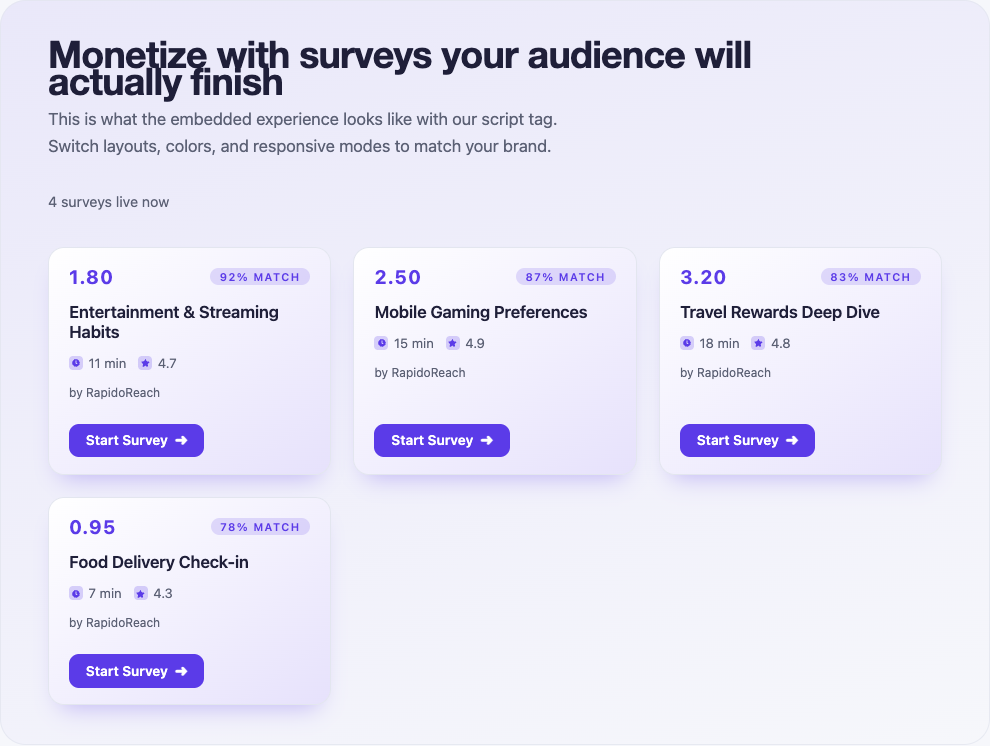
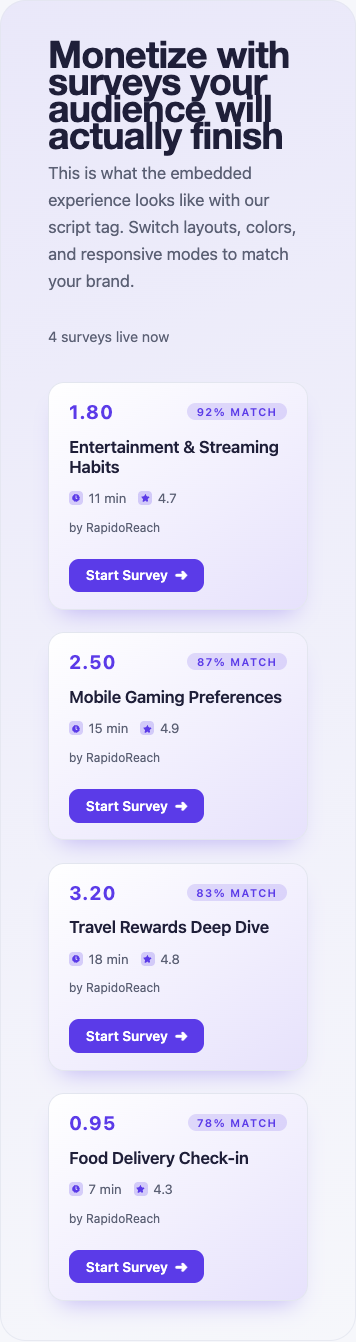
These are screenshots of the public web playground, captured October 15, 2026. They show sample survey cards shared as a visual reference, not screenshots of a Unity native build or a guarantee of inventory.
Mobile web demo. Open image to inspect the full capture.
Unity reward journeySimulation
This local interaction illustrates presentation states. It does not call the SDK, load live surveys or issue rewards.
Ready to explore
A survey is available in this simulated placement.
Use a development publisher app. In the app’s Test users section, add the raw app user ID exactly as your SDK sends it and enable Test mode for that test user. For web, generate the signed UID from that same raw user ID.
The test survey helps verify the journey. Keep test activity separate from live earnings.
Configure the app’s server callback and send a Test Callback from the dashboard. Verify the documented hash, attribute the transaction to the correct user and store it once. Repeat the same transaction to check duplicate handling.
Client reward notifications should refresh UI. They should not create a second credit.
Test a returning player and a new player without changing either user identifier mid-survey.
Exercise completion, abandonment and unavailable inventory from the shop entry point.
Test duplicate callbacks and reconciliation against your currency ledger before a pilot.
Test loading, no inventory, offline, invalid credentials and retry. Reopen for the same user and verify attribution stays consistent.
Confirm your backend handles duplicate and invalid callback hashes, then review reversal handling before enabling live traffic.
04 / Troubleshoot
Find the failing boundary.
Nothing opens in Play mode
Export an Android or iOS build and run it on a device. Editor execution cannot exercise the native offerwall.
Lifecycle or reward events never arrive
Register the receiving GameObject with SetListener(gameObject.name). Keep it alive while the offerwall is open and use the documented callback method names.
Android or Xcode link errors
Check for duplicate native SDKs and use the libraries bundled with the selected Unity release. Validate each mobile export separately.
The user completed a survey but the balance is unchanged
Trace the same app user ID and transaction through your callback receiver and reward ledger. Check hash verification, duplicate detection and currency conversion. Use redacted diagnostics when contacting support.
Build your mobile game survey sdk pilot.
Create a publisher account, register your app and connect the first test user. Review the reward flow before opening the placement to live users.