

Target by Mobile, Tablet, or Desktop/Laptop
You have the option of choosing what device respondents take your survey on Desktop, Mobile, or Tablet.

Within your project builder, under the Respondent Targeting Tab- click the Advanced button:
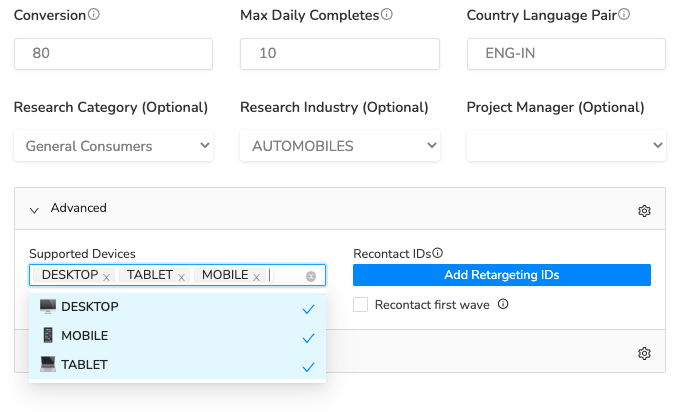
This will expand the section where you can select or deselect these at the bottom of the targeting section. Simply un-click to exclude certain devices from entering your survey.
You can do the same thing in the targeting, as shown here, by selecting Device Type:
If you want only one specific platform to enter your project, select Device platform. For example, if you want only iPhone users, select iOS:
RapidoReach Monetization
Turn your app traffic into real revenue
Join 2,000+ publishers already boosting ARPU by up to 40% with in-app surveys. No SDK headaches — integrate in minutes.
Written By
Vishal Gautam
February 28, 2022